How It Works
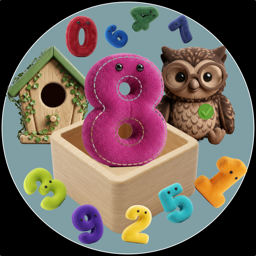
Your child sees a row of soft, colorful toy numbers at the bottom of the screen. They drag numbers into one, two, three, or four digit boxes to build any number from 0 to 9,999.
Once a number is placed, two friendly characters are ready to help:
The Blue Bird
Says the number out loud — tap it anytime to hear the full number spoken clearly and naturally in the selected language.
The Wise Owl
Listens — tap it, say the number, and the owl checks the answer using speech recognition. A green checkmark for correct, a gentle nudge to try again if not.
Children can swap numbers between boxes by dragging, try different combinations, and learn at their own pace with zero pressure.
12 Languages
Switch between languages with a single tap. The bird speaks in the chosen language, the owl recognizes speech in that language, and all interface labels update automatically. Children learning a second language can switch back and forth freely.
What Children Learn
Number Recognition
Recognize digits 0–9 through colorful, tactile interaction.
Place Value
Ones, tens, hundreds, thousands — drag the same digit to different positions and hear how its value changes.
Pronunciation
Hear and practice saying numbers in up to 12 languages with instant speech feedback.
Fine Motor Skills
Drag-and-drop interaction designed for little hands developing coordination.
Use Cases
First Numbers
Toddlers learning to recognize and name digits for the first time.
Bilingual Families
Parents who speak different languages at home can switch between them freely.
Bedtime Learning
A calm, no-pressure activity before sleep — no flashing lights, no timers.
Classroom Companion
Teachers introducing numbers or foreign language basics to small groups.
The Power of Zero
Place a 3 in the thousands box and zeros everywhere else to discover that 3000 is just "three thousand."
Digit Swap Experiments
Drag the 5 from the tens box to the hundreds box and hear how "fifty" becomes "five hundred."
Speech Confidence
Shy children practice saying numbers aloud to a non-judgmental owl.
Road Trips & Offline
Works without internet. Keeps kids engaged anywhere.
Safe for Kids
No ads — ever
No tracking or data collection
Microphone only when owl is tapped — never stored
No social features or chat
Parental gate protects settings & purchases
Works offline for core features
Built for Little Hands
Big, Bright Numbers
Toy-style digits that are easy to grab and drag.
Uncluttered Interface
No distracting elements. Kids focus on numbers.
No Reading Required
Entirely visual and audio-based — works before literacy.
iPhone, iPad & Mac
One purchase covers all devices. Adapts to every screen size.
Pricing
- Numbers 1, 2, and 3
- All digit modes (1–4 digits)
- All 12 languages
- Blue bird (text-to-speech)
- Wise owl (speech recognition)
- Full drag-and-drop interaction
- Numbers 0 through 9
- No subscriptions
- No recurring charges
- No hidden costs
- Covers all your devices
- Restore via Apple ID anytime
Frequently Asked Questions
Designed for children aged 3 to 7, but younger toddlers enjoy dragging the colorful numbers and older kids benefit from the multi-digit and multilingual features.
Yes. Numbers 1, 2, and 3 are free across all digit modes and all 12 languages. A single $0.99 purchase unlocks numbers 0 and 4–9. No subscriptions.
Core gameplay works without internet. Speech recognition (the owl) may require a connection on some devices, as Apple's Speech framework can use server-based processing.
No. Audio is processed by Apple's speech recognition to check the answer and then discarded. We never record, store, or transmit any audio.
No ads, no banners, no video rewards — ever. No analytics, no tracking, no data collection of any kind.
Settings and purchases are protected by a simple math challenge (e.g., "17 + 12 = ?") that young children cannot solve but adults can answer quickly.
Yes. By building multi-digit numbers and hearing them spoken, children naturally discover that the same digit has different values depending on its position — dragging a 5 from the tens box to the hundreds box changes "fifty" to "five hundred."
Tap a locked number, solve the parental gate, and tap "Restore Purchases." Your unlock transfers automatically across all devices signed into the same Apple ID.
Email us at support@pujamusic.com — we read everything and respond personally.